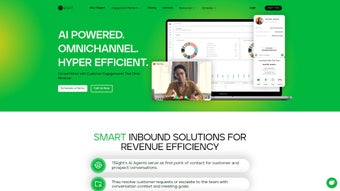

Download 11Sight – AI‑Powered Lead Generation & Video Chat Tool
Overview
11Sight is an omnichannel pipeline generation platform that brings together AI‑driven video chat, smart lead routing, and seamless CRM integration to transform the way sales and marketing teams capture, qualify, and nurture prospects. Built for modern revenue operations, 11Sight replaces traditional cold‑calling and static web‑forms with an interactive, one‑click inbound video call experience that feels personal and immediate. When a visitor lands on a website, an AI chatbot instantly greets them, asks qualifying questions, and surfaces enriched lead data—including intent signals, contact information, and a brief meeting summary—directly to the sales rep’s dashboard.
This real‑time enrichment reduces manual data entry, shortens the sales cycle, and boosts conversion rates. The platform also supports tailored solutions for marketing automation, customer success, and revenue operations, allowing teams to create custom workflows without writing a single line of code. Security is baked in: every video session is encrypted, GDPR‑compliant, and can be locked with meeting passwords or single‑use links.
By integrating with popular CRMs such as Salesforce, HubSpot, and Zoho, 11Sight ensures that every interaction is automatically logged, making it easy for managers to track performance and for reps to focus on selling rather than paperwork. Whether you’re a startup looking for a cost‑effective lead gen engine or an enterprise seeking a scalable video‑first outreach strategy, 11Sight delivers a secure, data‑rich, and highly personalized experience that turns anonymous traffic into qualified meetings.
Key Features & Benefits
- AI Chatbot Lead Qualification: An intelligent chatbot engages visitors, asks pre‑defined qualifying questions, and captures intent data before the video call begins.
- One‑Click Inbound Video Calls: Prospects can join a live video conversation with a single tap, eliminating the friction of scheduling.
- Smart Lead Routing: Leads are automatically assigned to the most appropriate sales rep based on territory, product expertise, or availability.
- Automatic CRM Sync: Meeting summaries, recordings, and enriched lead details are pushed to Salesforce, HubSpot, Zoho, and other CRMs in real time.
- No‑Code Integrations: Connect 11Sight to marketing automation tools, email platforms, and analytics suites using drag‑and‑drop workflow builders.
- Meeting Security & GDPR Compliance: End‑to‑end encryption, password‑protected sessions, and data‑privacy controls keep both your company and prospects safe.
- Customizable Widgets: Embed video call widgets on any web page, landing page, or chatbot flow, matching your brand’s look and feel.
- Analytics & Performance Dashboard: Real‑time metrics on call volume, conversion rates, and rep performance help you iterate quickly.
- Scalable Architecture: Cloud‑native infrastructure supports thousands of concurrent video sessions without latency.
- Multi‑Channel Outreach: Combine video chat with email, SMS, and social messaging to reach prospects where they prefer to communicate.
Each of these features works together to create a frictionless, data‑rich sales experience. For example, the AI chatbot not only qualifies leads but also feeds its insights into the smart routing engine, ensuring that the right rep receives a warm, pre‑qualified prospect. The automatic CRM sync eliminates duplicate data entry, while the analytics dashboard gives managers a clear view of funnel health. Security and compliance are non‑negotiable in today’s regulatory environment, and 11Sight’s GDPR‑ready framework gives peace of mind to both sellers and buyers. Altogether, these capabilities help teams increase booked meetings, shorten sales cycles, and improve overall revenue performance.
Installation, Usage & Compatibility
Getting started with 11Sight is straightforward, whether you’re deploying on Windows, macOS, or any modern browser. First, sign up for a free trial on the 11Sight website. After confirming your email, you’ll be directed to the admin console where you can configure your AI chatbot, set up lead routing rules, and connect your CRM. The platform offers a native desktop app for Windows 10/11 and macOS Catalina and later, as well as mobile apps for Android 6+ and iOS 13+. All apps are available via the respective app stores, ensuring a secure download process.
Step‑by‑step installation:
- Download the installer from the 11Sight download page (Windows .exe or macOS .dmg).
- Run the installer and follow the guided setup wizard; the process typically takes under five minutes.
- Log in with the credentials you created during sign‑up.
- Navigate to the Integrations tab and select your CRM. Authenticate using OAuth; 11Sight will automatically map fields such as name, email, phone, and lead score.
- Customize the AI chatbot script in the Chatbot Builder. Choose from pre‑written templates or drag‑and‑drop your own questions.
- Publish the video call widget on your website by copying a short JavaScript snippet into your site’s header.
- Test the flow by visiting your site, interacting with the chatbot, and initiating a video call.
Once installed, using 11Sight is as simple as answering a call. When a prospect clicks the “Start Video” button, the rep receives a notification on the desktop or mobile app. The video window opens instantly, and the AI‑generated lead summary appears on the side panel, giving the rep context before the conversation begins. After the call, the platform automatically records the session, generates a transcript, and updates the CRM with a meeting note that includes key takeaways and next‑step recommendations. Because 11Sight is cloud‑based, updates and new features roll out automatically, ensuring you always have the latest security patches and AI enhancements without manual intervention.
Supported Operating Systems: Windows 10/11, macOS Catalina‑13+, iOS 13+, Android 6+, and any modern web browser (Chrome, Edge, Firefox, Safari). The web version runs on both desktop and mobile browsers, making it a truly omnichannel solution.
Pros, Cons & Frequently Asked Questions
Pros
- Highly engaging one‑click video calls increase meeting acceptance rates.
- AI chatbot enriches lead data before the conversation, saving rep time.
- Seamless, real‑time CRM integration eliminates manual data entry.
- Robust security features and GDPR compliance protect sensitive information.
- No‑code workflow builder enables quick customization for marketing and sales teams.
- Scalable cloud infrastructure supports large enterprises and fast‑growing startups.
Cons
- Initial setup of AI chatbot scripts may require a learning curve for non‑technical users.
- Video call quality depends on internet bandwidth; poor connections can affect experience.
- Advanced routing rules are only available on higher‑tier pricing plans.
- Limited native integrations beyond the major CRMs; custom API work may be needed for niche tools.
FAQ
Is 11Sight free to use?
11Sight offers a 14‑day free trial with full feature access. After the trial, pricing starts at $49 per user per month for the basic plan, with enterprise‑level pricing for larger teams.
Can I integrate 11Sight with my existing CRM?
Yes. 11Sight provides native, two‑way integrations with Salesforce, HubSpot, Zoho CRM, and Microsoft Dynamics. For other CRMs, you can use the open API or Zapier connectors.
How secure are the video calls?
All video sessions are encrypted using TLS 1.3, and you can enable password protection or single‑use links. 11Sight is fully GDPR‑compliant and stores data in ISO‑27001 certified data centers.
Do I need technical expertise to set up the AI chatbot?
The chatbot builder uses a visual drag‑and‑drop interface with pre‑written templates, so no coding is required. Advanced users can customize scripts with JSON if desired.
What devices can I use to receive inbound video calls?
You can answer calls from the desktop app (Windows/macOS), the mobile app (iOS/Android), or directly in a web browser. The interface adapts to the screen size for an optimal experience.
Expert Review
11Sight stands out in the crowded lead‑generation market by marrying AI‑driven qualification with real‑time video interaction. The platform’s ability to auto‑populate CRM records and provide a meeting transcript saves reps countless hours of admin work. While the initial configuration of chatbot flows may take some time, the payoff in higher‑quality meetings is evident. Security and compliance are handled with professionalism, making it a safe choice for regulated industries. Overall, 11Sight is a powerful, future‑proof solution that can dramatically improve conversion rates for any sales‑oriented organization.
Conclusion & Call to Action
If you’re ready to replace cold outreach with a dynamic, AI‑enhanced video experience, 11Sight offers the tools you need to capture, qualify, and convert high‑intent leads faster than ever before. Its seamless CRM sync, robust security, and no‑code customization make it suitable for both small businesses and large enterprises seeking to modernize their sales funnel. Start your free trial today, integrate with your existing stack, and watch your meeting calendar fill up with qualified prospects who are eager to talk. Don’t let another visitor slip away—download 11Sight now and turn every website visit into a revenue‑generating conversation.



.png)



